Left Continue shopping
Your Order

You have no items in your cart

May we Recommend...
From $207.00
Add to cart
Proud Family History - AED Professionals
Thank you for choosing AED Professionals!
From Our Family to Yours, We Truly Appreciate it!

ZOLL AEDtrax – Simplify AED Readiness and Management

Alt image Alt image Alt image

ZOLL AEDtrax – Simplify AED Readiness and Management

Narcan nasal spray used to reverse opioid overdoses quickly and effectively.

Always ready. Always connected.

AEDtrax helps ensure your ZOLL AED 3 is rescue-ready when seconds matter most. This independent, externally mounted monitoring module delivers continuous 24/7 cellular connectivity, providing daily status reporting, real-time alerts, and cloud-based visibility into every connected AED.

Designed to streamline AED program management, AEDtrax automatically monitors device readiness, including battery life, electrode pad expiration, connectivity status, GPS location, motion activity, and environmental conditions such as temperature, humidity, and pressure. Unlike solutions that rely solely on Wi-Fi or embedded connectivity, AEDtrax operates independently with minimal impact on AED battery performance and stores data securely if cellular coverage is temporarily unavailable.

Alt image

The result is simplified inspection readiness, stronger regulatory compliance, and confidence that your AEDs are always prepared to respond in a sudden cardiac arrest emergency.

Explore

what is the zoll aedtrax

Maintaining an AED program isn’t just about mounting a device on the wall, it’s about ensuring every unit is rescue-ready at all times. AEDtrax is an independent, externally mounted smart monitoring module designed specifically for the ZOLL AED 3. When paired with PlusTrac, it creates a fully connected, cloud-based AED management solution that delivers 24/7 remote monitoring, real-time alerts, GPS tracking, and automated compliance reporting across single or multi-site programs.

Unlike embedded connectivity systems that rely on internal power or limited Wi-Fi coverage, AEDtrax operates independently with seamless mobile cellular connectivity. This allows continuous data storage and transmission, even outside Wi-Fi zones and in rural or remote locations. The system reports in daily, unlike many connected AED solutions that only check status monthly, giving safety coordinators up-to-date visibility into device readiness without draining the AED battery.

  • Continuous 24/7 monitoring of connected AEDs ensures you’re alerted immediately if any component needs attention.
  • Location tracking, environmental status, and deployment alerts provide full visibility for campus, corporate, public access, and multi-site programs.
  • Drives compliance and accountability, a key consideration for organizations with AED programs and regulatory obligations.

Your AED program deserves more than a static device on a wall. With ZOLL AEDtrax integrated with PlusTrac, your devices are continuously monitored, your team is informed, and your readiness is verifiable. When sudden cardiac arrest happens, every second matters, and confidence in your equipment can make all the difference.

Why Choose ZOLL AEDtrax

Automated Readiness Monitoring

No more manual inspections or guesswork. The AEDtrax automatically verifies the status of your ZOLL AED 3, including battery, pads, and self-test results.

Total Program Visibility

Access a simple online dashboard to see the real-time readiness, location, and maintenance history of every AED in your organization.

Regulatory Compliance Made Easy

Stay inspection-ready with automated alerts, event tracking, and detailed reporting that supports AED program compliance requirements.

Seamless Connectivity

Built-in 4G LTE and GPS technology ensure each AED stays connected and easy to locate, even across multiple facilities or remote sites.

Peace of Mind 24/7

AEDtrax continuously monitors and updates your AED’s performance data, so you can focus on saving lives, not managing equipment.

How to Setup

  • Prep & Device Identification

  • Hardware & Cable Installation

  • AED Configuration & Settings

  • Data Export & Shutdown

  • Platform Setup & Optional Accessories

Step 1

Title

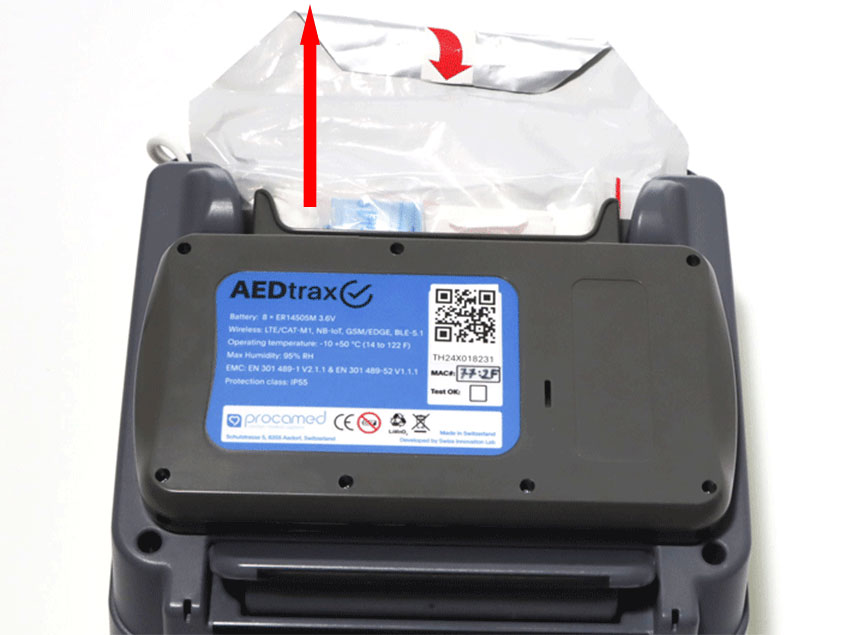
Remove the AED 3 electrode pack from the electrode compartment.


Note the serial number of the AED (on the back; starts with "AX…..") and the Trax number (on the top; starts with "TH……")

Step 2

Title

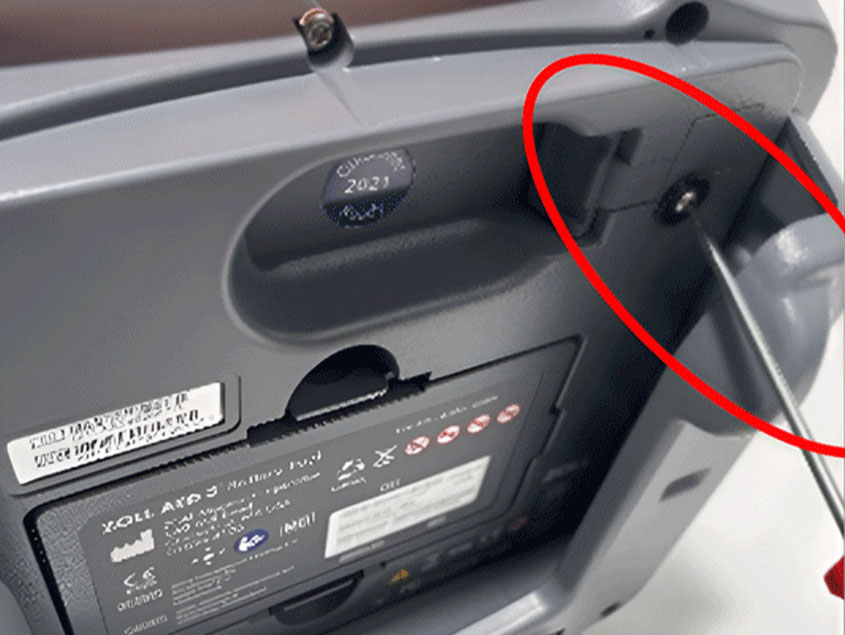
Using a Torx T8 screwdriver, remove the screw of the rubber seal on the back of the AED and dispose of the rubber seal along with the black washer (keep the screw). 

Step 3

Title

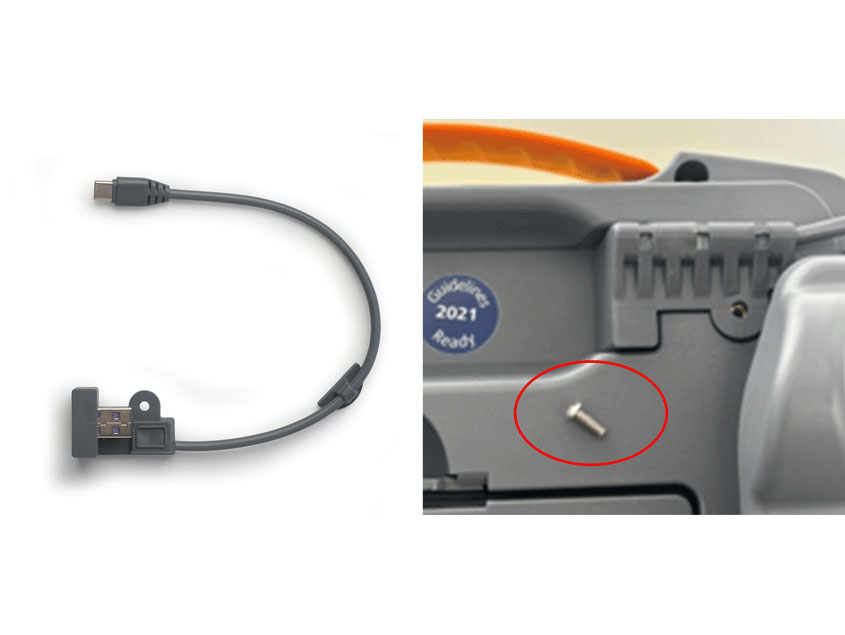
Plug the supplied USB cable into the back of the AED and reattach the previously removed screw. 

Step 4

Title

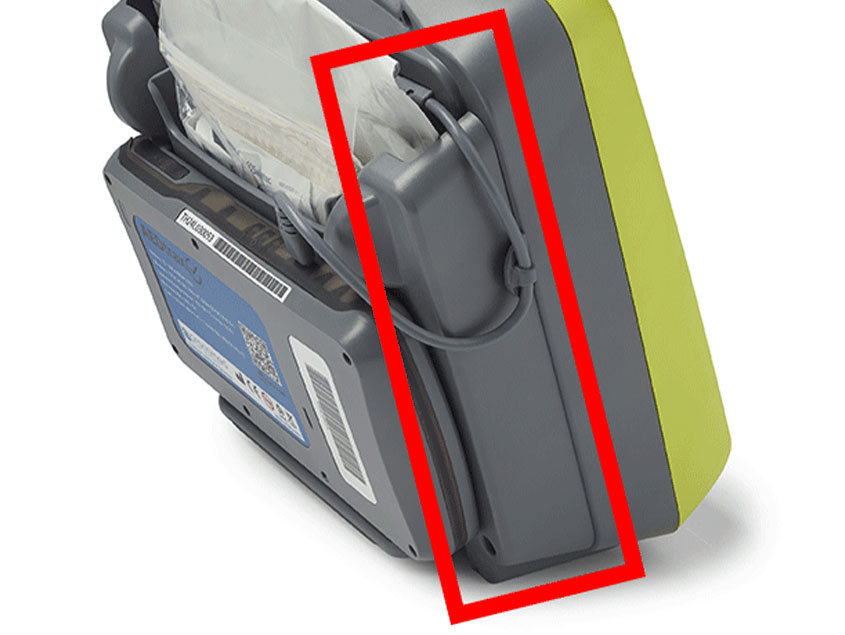
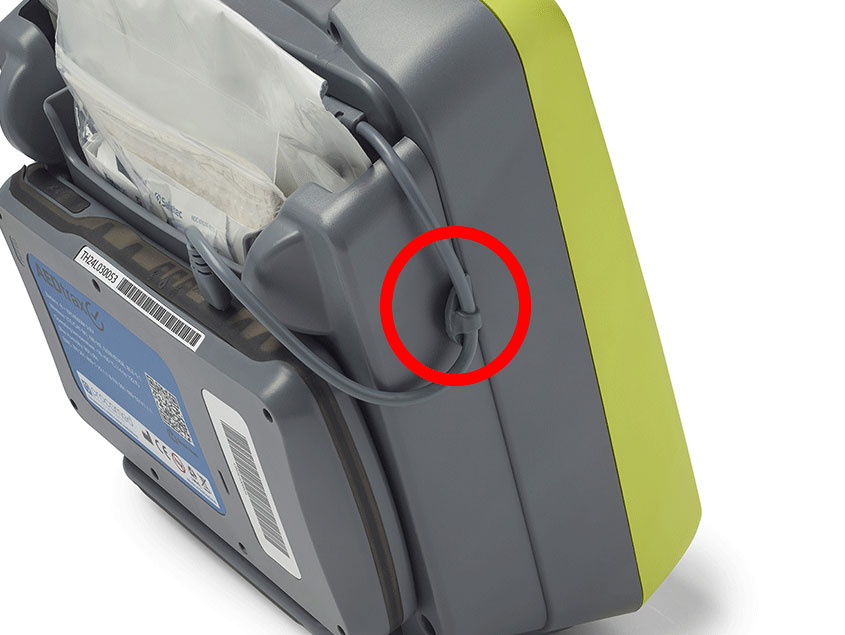
Clean the right edge of the AED housing (viewed from the back) with a degreasing agent (e.g., cleaning benzine). 

Step 5

Title

Remove the protective film from the cable holder and attach it to the edge of the AED housing. 

Step 6

Title

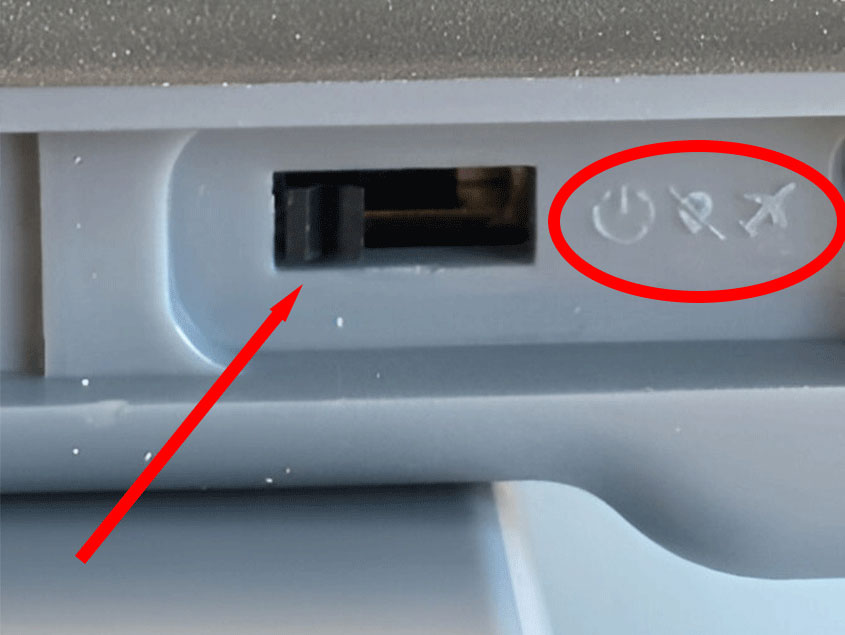
Open the rubber seal on trax and turn it on using a thin metal pin (e.g., a paperclip)
middle position: trax ON, GPS OFF
left position (recommended): trax & GPS ON
right position: trax off

Step 7

Title

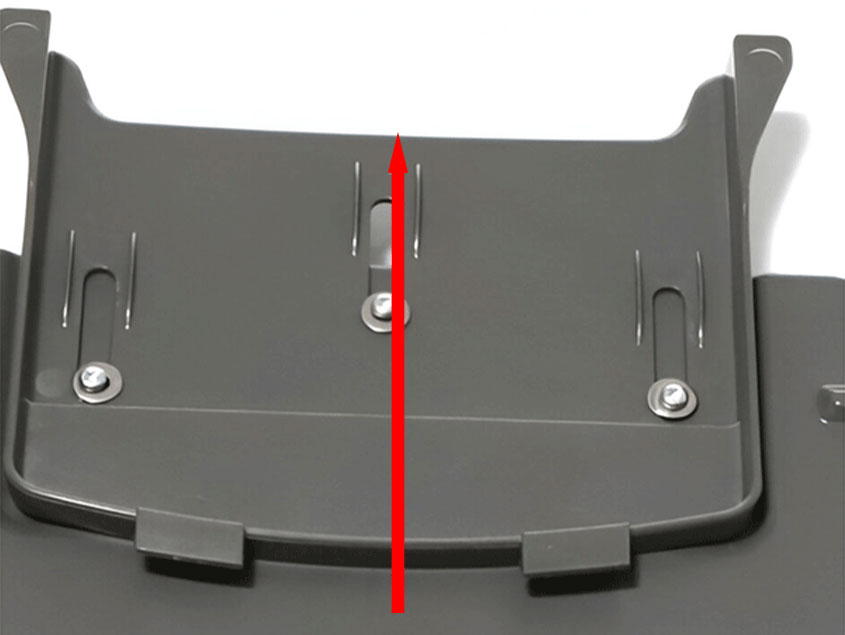
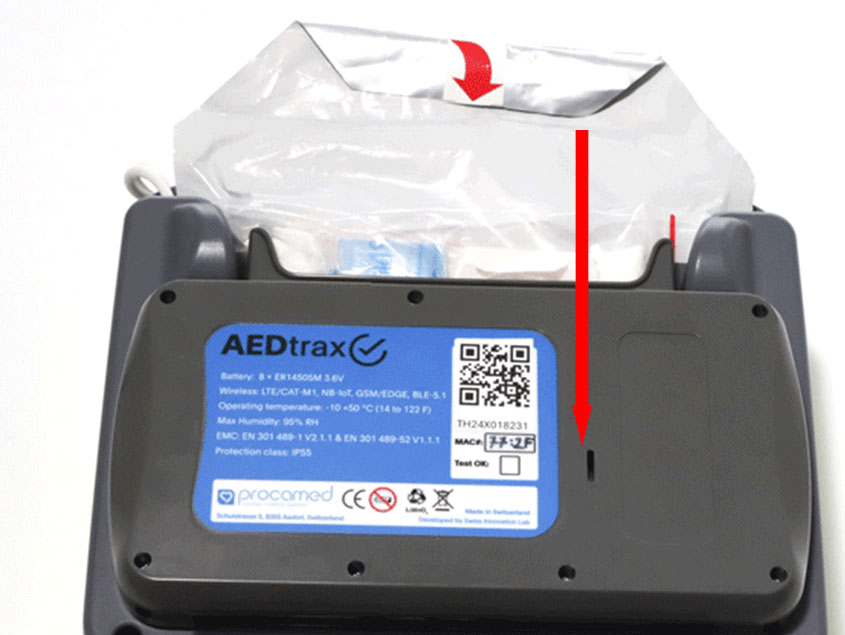
Pull the sliding plate on trax upwards, place trax against the electrode compartment, and then push the sliding plate down until it clicks into place and connects with the AED. 

Step 8

Title

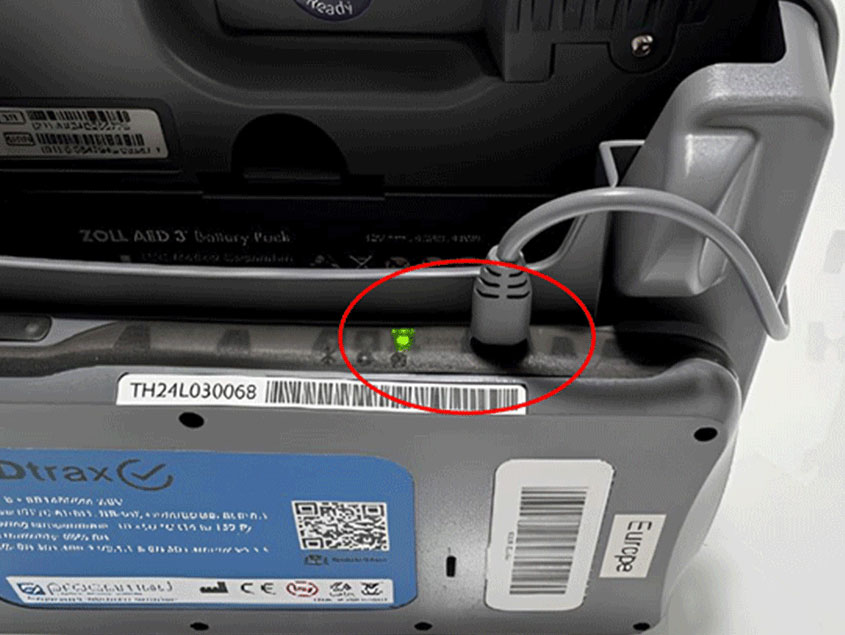
Insert the USB-C plug into trax and check for a clean cable arrangement.
 

Step 9

Title

Place the electrodes back into the electrode compartment (scissors facing the AED, emergency kit facing away from the AED).
 

Step 10

Title

Configure the AED:


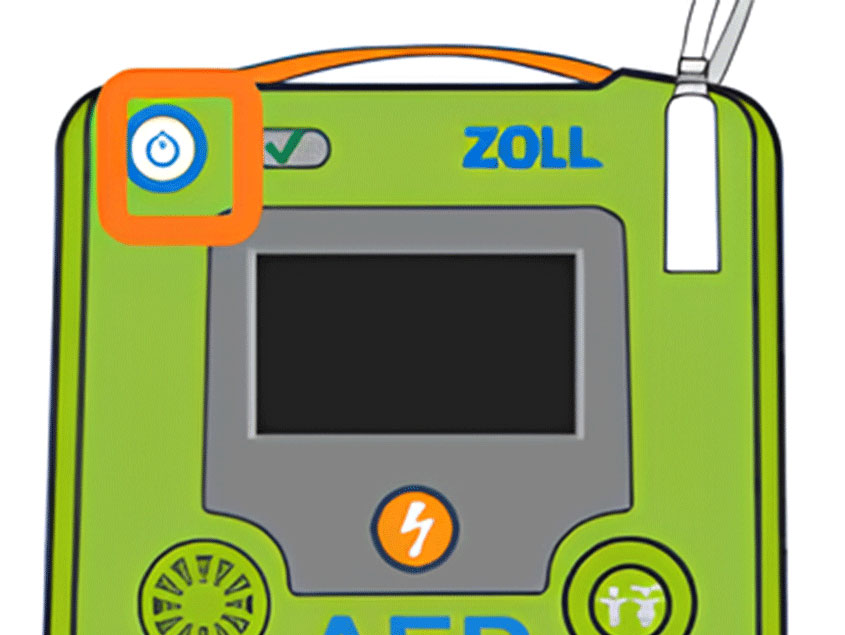
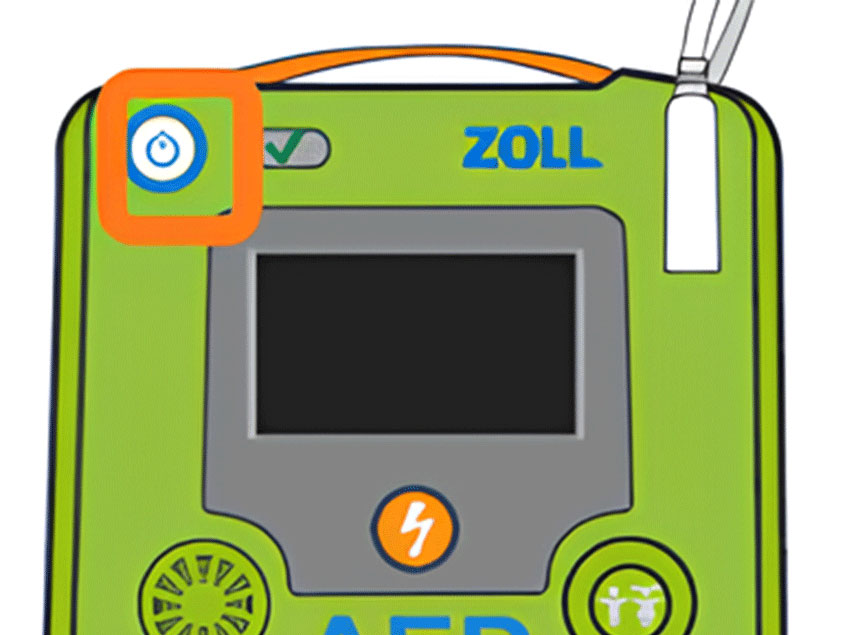
Power ZOLL AED 3 device on to non-rescue mode. Press and hold “ON/OFF” button for 10 seconds or until you see the ZOLL Logo.

Step 11

Title

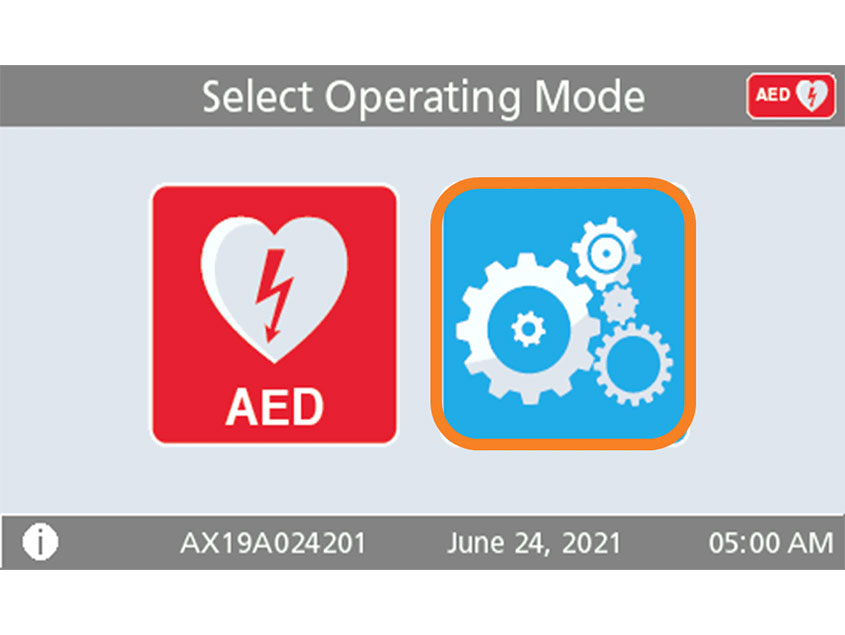
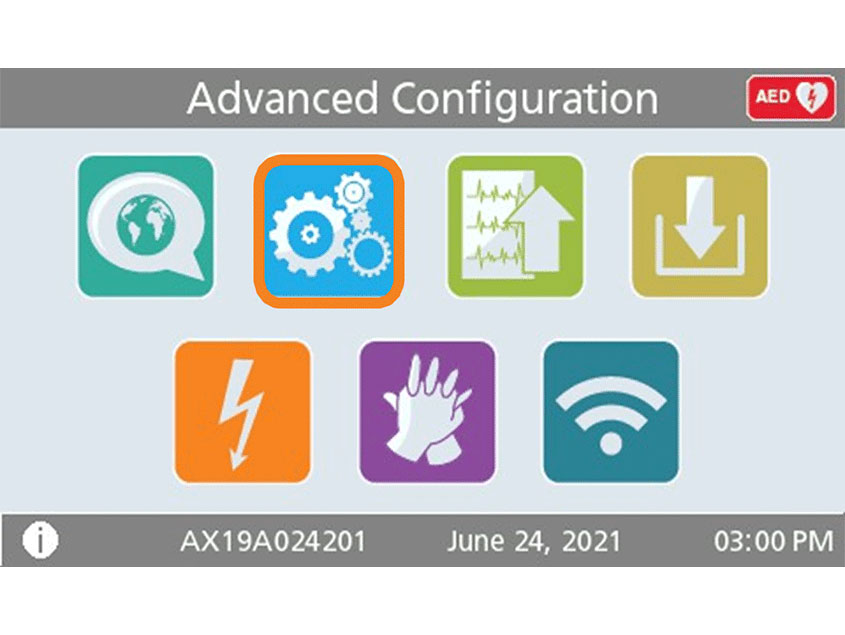
Press the "Device Configuration" icon to open the configuration screen.


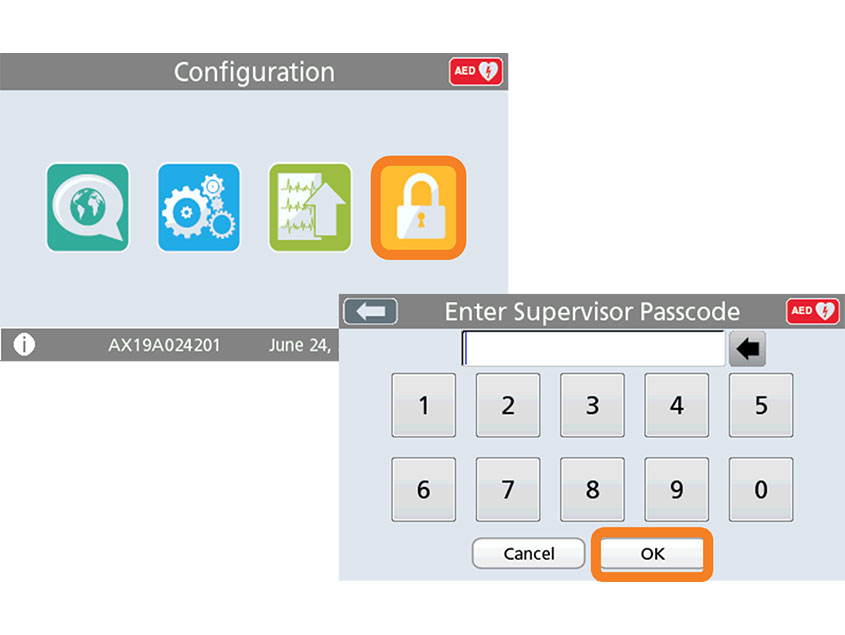
Press the "Supervisor Access" icon.

Step 12

Title

Enter the 6-digit code from the User manual and confirm with "OK".


Default password: 5, 6, 7, 8, 9, 0

Step 13

Title

Press the "Settings" icon.

Step 14

Title

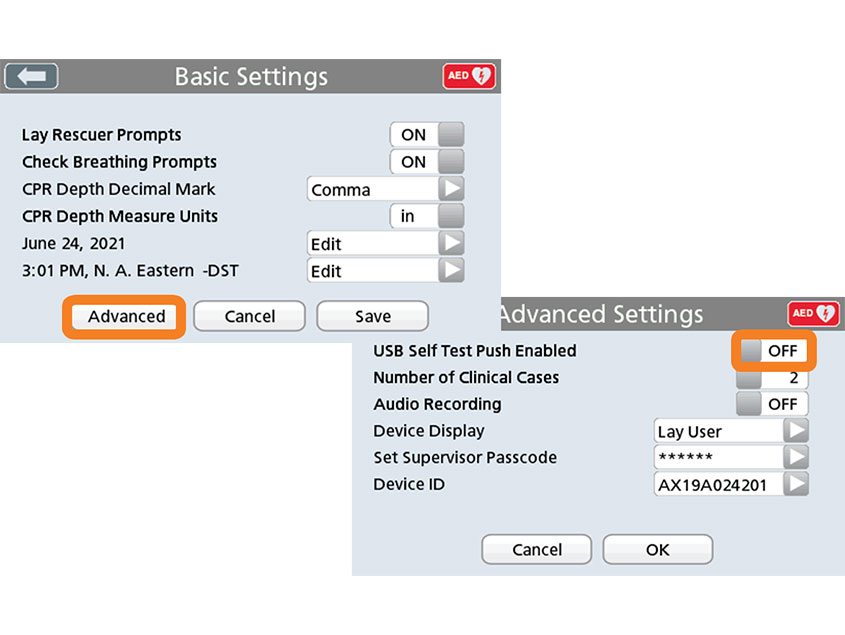
Press "Advanced".


Set "USB Self-Test Push Active" to "ON" and confirm with "OK" and "Save".

Step 15

Title

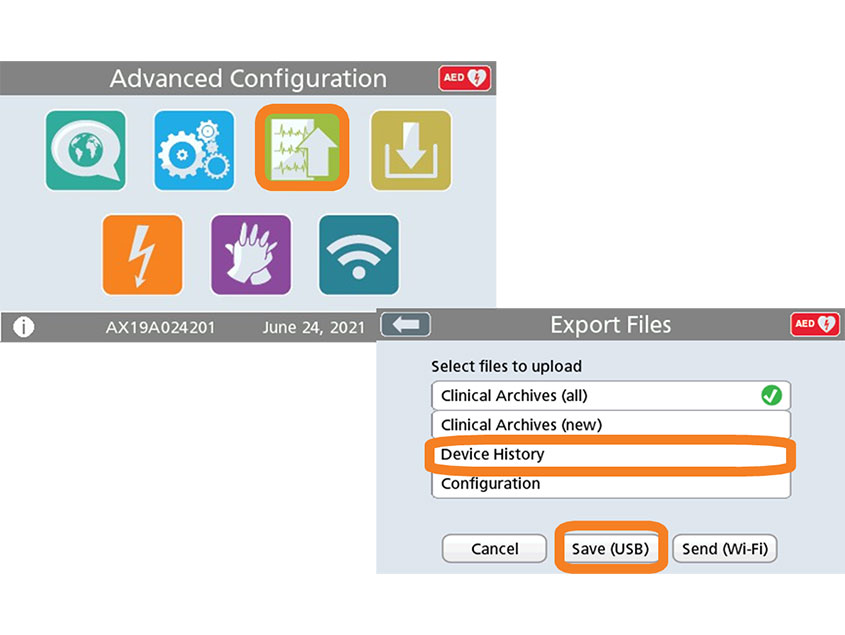
Press the "Export Files" icon.
Select "Device History Data" and 
press "Save (USB)". 
If "Completed" appears at the end, the transfer was successful. Confirm with "OK".

Step 16

Title

Turn off the AED 3 by pressing the power button for approximately 2 seconds. The message "Shutdown in progress" will appear on the monitor.

Step 17

Title

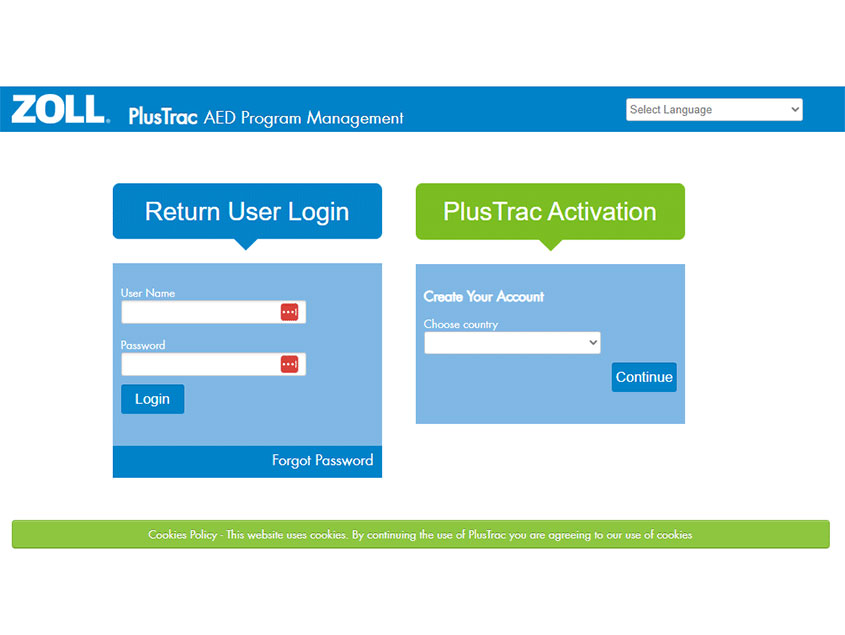
Log in to plustrac to set your device up on the platform.

Step 18

Title

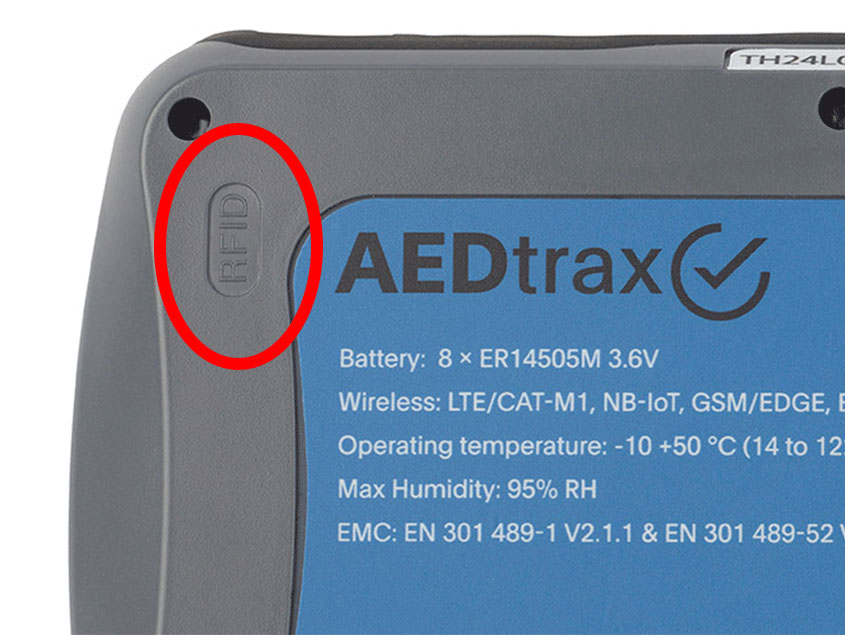
If you use AEDtrax with the RFID option, place the RFID Card on a firm surface . if the surface is metallic, use a distance holder of minimum 5mm to the RFID Card. Place the RFID Card in the cabinet so that it can connect with trax upper left corner when it is placed into the cabinet.

Zoll AEDtrax

ZOLL

From

$544.87

AEDtrax helps ensure that your ZOLL AED 3 is ready for use when it's needed. Reliable mobile connectivity enables you to mange and monitor your AEDs from any location, even outside WiFi zones and in rural remote areas. GPS* and environmental tracking* means you can find your devices on a map, be automatically notified if it's used, and know if any harmful conditions exist in its environment.


24/7 monitoring of your ZOLL AED 3

  • Battery status (expiration and percentage life remaining)
  • Electrode status and expiration
  • AED readiness

Location tracking

  • Assign RFIDs to storage locations to track where your ZOLL AED 3 is
  • RFID will detect device deployment and AEDtrax will provide deployment and movement notifications

Environmental monitoring

  • Monitors temperature, humidity, and air pressure

GPS localization

  • When an AEDtrax is deployed, receive GPS location when available

Email notifications

  • Receive an email when AED is used or if action is required

Secure and transparent

  • Data is hosted by ZOLL Online to maximum security standards

Case data transmission

  • AEDtrax automatically transmits clinical event information.

Compatible with new and existing devices

  • AEDtrax can be easily retrofitted to an existing ZOLL AED 3, with or without carrying case.


Shop AEDtrax

Don't know where to start?

Our experts are here to help find the right fit for your needs. Give us a call today!

888-541-2337

AED Professionals: A General Medical Devices, Inc. company

348 W. Colfax Street, Palatine, IL 60067

info@aedprofessionals.com 847-202-3233

Subscribe to our newsletter. 

Provide your email for exclusive promotions, updates and more!

Thanks for contacting us. We'll get back to you as soon as possible.

By subscribing to our newsletter you agree to our privacy policy and will get commercial communication

Copyright © 2004-2024 General Medical Devices, Inc.

All Rights Reserved

Organizations Close to Our Hearts